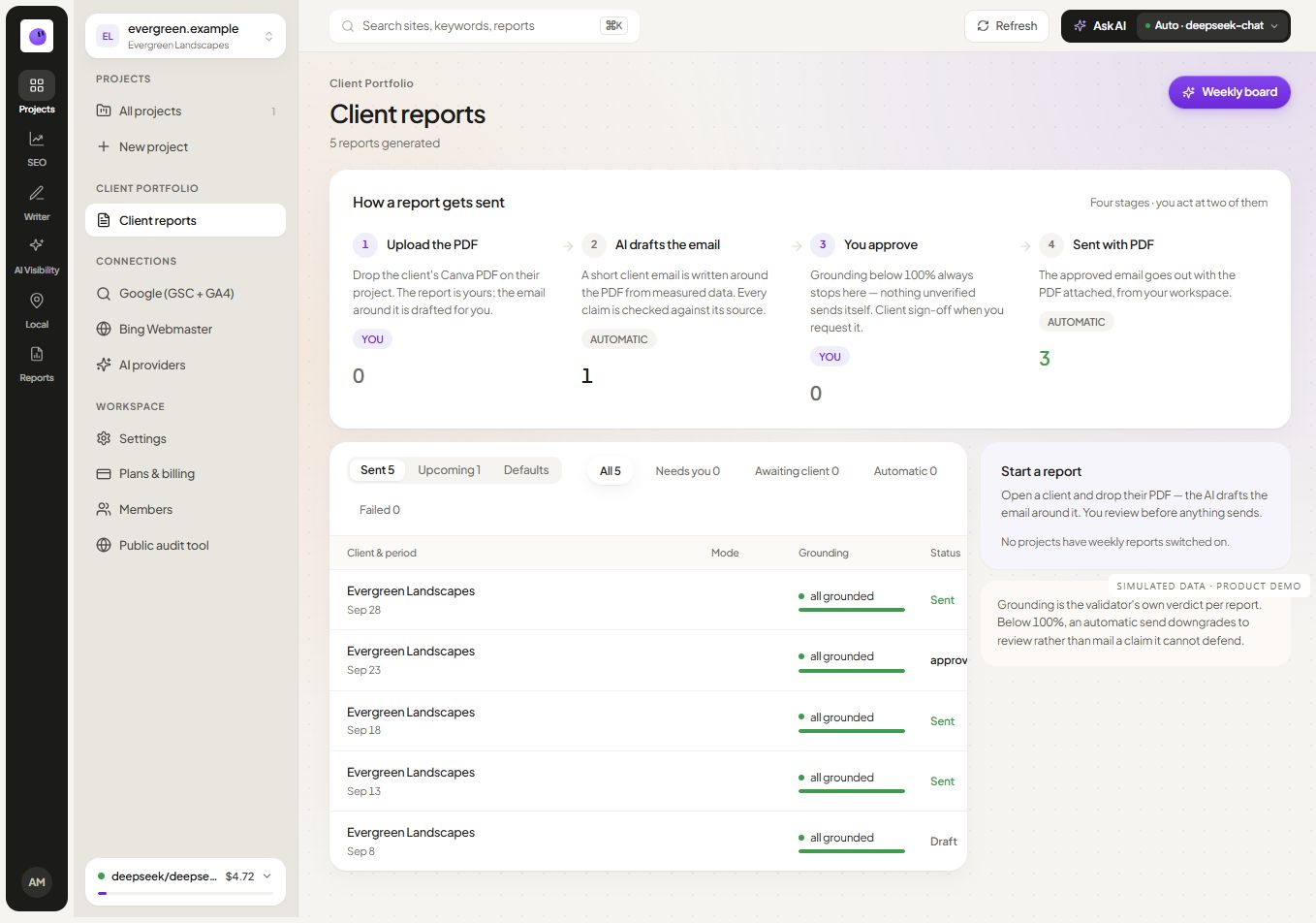
This RankZap-published comparison uses public documentation, reviewed October 1–2, 2026, and our own product scope. It is a selection framework, not a hands-on speed test or an independent ranking. Features and plan packaging must be checked at purchase time.
Compare the primary workflow
| Candidate | Documented area to investigate | A useful first test |
|---|---|---|
| AgencyAnalytics | Scheduled client reporting and branded web/PDF output | Recreate a representative recurring client report |
| SEOptimer | Branded audit reports and audit-related lead capture | Generate and review the audit deliverable you need |
| SE Ranking | SEO data connected to analytics and external reporting workflows | Confirm the specific datasets and reporting destination |
| RankZap | Website audits, content workflows and client reporting in project context | Take one finding through review and a client update |
| Google Data Studio / Looker Studio | Build a customized dashboard | Verify connectors, sharing and maintenance effort |
AgencyAnalytics
AgencyAnalytics documents scheduled reports, web reports and PDF snapshots, with branding options. That makes it a candidate to investigate when recurring client communication is the central task. Its reporting documentation describes the workflow.
Test the actual sources your agency needs and the controls on the eligible plan. Check whether the delivered artifact behaves as a fixed snapshot or a live report, since that affects how a client interprets it later.
SEOptimer
SEOptimer's public product material describes configurable branded audit PDFs and an embeddable audit form. Investigate it when the main deliverable is an audit or an audit-led prospecting workflow. See its product overview.
Use a representative website and examine whether the findings, explanations and report format suit your client. Check the current plan scope directly; retrieved product material does not establish today's price or every entitlement.
SE Ranking
SE Ranking documents connections between its SEO datasets and analytics or reporting destinations, including external reporting workflows. Its integrations overview is a useful starting point.
Confirm the specific data, refresh behavior and destination you require. An advertised integration name is the start of the evaluation, not proof that every desired metric is available in your chosen report.
RankZap
RankZap connects website audits, content planning and reporting around a website project. It is worth evaluating when the team wants related execution and reporting tasks close together. Explore the agency workflow and reporting module.
Check the current plan's limits and supported connections. Direct Google Business Profile account access is not currently enabled; public listing information must not be presented as owner-only performance data. Our pricing page is the current reference for packaging.
Google Data Studio / Looker Studio: a dashboard-building option
Google's official product page, now labeled Data Studio, describes customizable reporting and a no-charge self-service tier, with a separate Pro offering. See the current Google product page. This gives the shortlist a dashboard-building option alongside dedicated agency products.
Test the actual connectors, sharing requirements and maintenance work for your report. A free dashboard application does not mean every third-party connector or the team's setup time is free.
Shortlist by the requirement you cannot compromise
| Main requirement | Starting direction | Trade-off to evaluate |
|---|---|---|
| Build a tailored dashboard from your sources | Google Data Studio | Configuration and ongoing source maintenance |
| Deliver a recurring branded client report | AgencyAnalytics and other dedicated reporting products | Eligible plan, exact integrations and review controls |
| Produce a branded audit deliverable | SEOptimer | Whether it covers the ongoing performance report you also need |
| Connect an SEO dataset to a reporting destination | SE Ranking | Available fields, destination and account requirements |
| Keep audits, content work and reporting together | RankZap | Current source scope and verified workflow fit |
These are suggested evaluation starting points based on documented scope, not measured performance rankings. Reject a candidate that misses a mandatory requirement even if its other features look attractive.
Compare limitations as carefully as capabilities
Record whether the report needs a paid connector, whether a shared view stays live, and what happens if the person who owns a connection leaves. Include website count, team access, history requirements and export format in the test. Verify current prices directly at the time of evaluation; this shortlist does not declare a cheapest plan based on stale quotes.
Score the same test report
Choose one website, reporting period and audience. Define the sources and the questions the report needs to answer before using a candidate. Keep the test conditions consistent.
Review these six areas:
- Correct source, period and filters.
- Clear treatment of missing or delayed data.
- Ability to explain changes and proposed actions.
- Appropriate branding and output format.
- Review and delivery controls for the chosen plan.
- Recurring cost and measured manual work.
Record a reason for each judgment. Avoid a numerical total that hides a missing requirement behind several minor conveniences.
Include the cost of review
Subscription cost is only one part of the workflow. Include setup, recurring preparation, corrections and any required connector or usage charges. Use the affordable reporting software guide to calculate a comparable working budget.
Which reporting tool is best for every agency?
There is no universal winner established by this comparison. The right shortlist depends on the report, sources, portfolio and controls your agency needs.
Can I begin with a free template?
Yes. The SEO report template provides a reusable structure. Measure the recurring manual work before deciding whether a connected reporting tool solves a meaningful problem.
Explore this topic
Simulated dataContinue your workflow
Simulated dataSimulated data