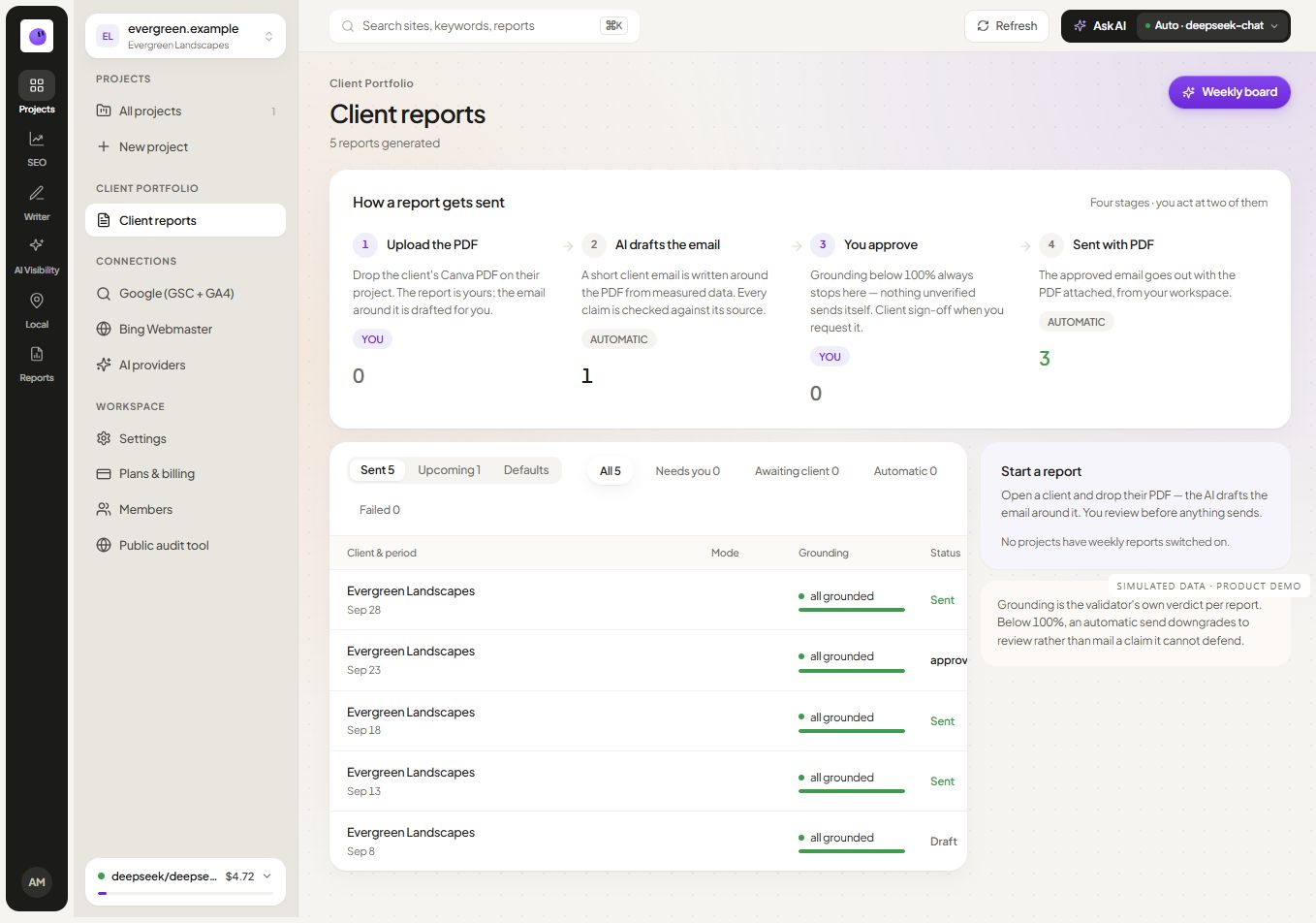
Explore report branding · Use a sample report structure
Make the report recognizably yours
Branding helps a client recognize the team responsible for the work. Configure the supported agency name, logo and report appearance controls, then review the actual output. Check small details such as the logo's contrast, the readability of chart labels and the contact context attached to the report.
The content deserves the same care. A report with a familiar logo can still be hard to use if every chart needs a separate explanation. Lead with the reporting period, the client's objective and a concise account of the most relevant change.
Choose the sections that support the client's question
Connected project sources may support search performance, audit findings, local observations and sampled AI visibility. Include the sections that help explain the current work. Verify that the relevant source is connected and that the displayed period is appropriate before adding its figures to a client narrative.
A client who asked whether an important page has been repaired needs the original issue and fresh verification. A client evaluating demand may need query and landing-page context. Use the report structure to bring those observations together without presenting unlike measures as one combined outcome.
Keep source information visible
Every number needs enough context to be checked. Record its source and period, and make the comparison clear. A missing connection should be identified as unavailable rather than displayed as zero activity.
For AI visibility, describe the sampled prompts and available answer sources. For local results, retain the location and query context. For a crawl, state which check the finding came from. Those details give the client a realistic understanding of what the report can support.
Write a summary that can survive a client meeting
An executive summary should hold up when the client asks why the team recommends an action. Start with an observation, explain the relevant uncertainty and propose a specific next step. Avoid attributing a change to your work when the evidence shows only that both happened in the same period.
Illustrative summary: The updated service pages earned more clicks across the comparison period. The report separates branded and non-branded queries and records the content changes made. The next review will check whether the additional visits produced relevant inquiries.
This summary gives the client a decision path without inventing a causal result. Use the reporting guide to build that distinction into your regular reporting process.
Review the branded output before delivery
| Review area | What to confirm |
|---|---|
| Identity | Correct agency and client context |
| Scope | Intended website, reporting period and comparison |
| Sources | Connected data and visible missing-source notes |
| Narrative | Claims match the evidence shown |
| Actions | Clear owners and next review points |
| Presentation | Readable charts, labels and branding |
Run this review on the format your client will actually receive. A report that looks fine in a browser can still need attention in a downloaded or delivered version. Keep the output readable on the devices your clients use.
Where white-label reporting fits
Use agency reporting for the broader multi-client workflow. Use scheduled reports to organize recurring delivery. The branding feature provides the presentation layer inside that workflow.
Compare current plan requirements before promising white-label output to a client. The number of websites, team access, included usage and report controls should all fit the way your agency works.
Know which part of the report is being branded
White-label reporting can refer to several surfaces: the report cover and contents, a shared web page, the sender identity or a client portal. They are separate capabilities. Confirm the controls in the selected RankZap plan and inspect the actual output before promising all of them to a client.
Make a short acceptance list for your first report: agency identity is correct, the client's website is correct, source dates are visible, the report is readable on the intended device and the links lead to the right project resources. Check the attachment as well as the message that carries it.
This feature explains branded output. Use automated reporting for scheduling and delivery questions, and client management for organizing the portfolio. A branding choice should not obscure where the measurements came from.
Frequently asked questions
Is white-label reporting included in every plan?
Check the current pricing page for eligibility. The live offer identifies white-label reporting on the relevant agency plans. Use the current plan details rather than an older screenshot or previously quoted price.
Can I use the same report structure for every client?
Use a consistent structure, then adapt the selected sections and explanation. A local business, a content publisher and a software company may need different outcome measures even when the report layout is shared.
Should I include every available metric?
Include the measures needed to understand the agreed objective and the work performed. Keep supporting detail available when useful. A shorter report with a clear decision can be more useful than a long report full of unrelated charts.
How should I present incomplete data?
Explain what is missing and how it affects the interpretation. If an account is disconnected or a check failed, do not imply that the absent values demonstrate no activity or no visibility.
Can I begin before all sources are connected?
Start with the data you can verify and state the report's scope clearly. Add sources when they contribute to the client's decision. The editable reporting template can help agree on that scope before setup.