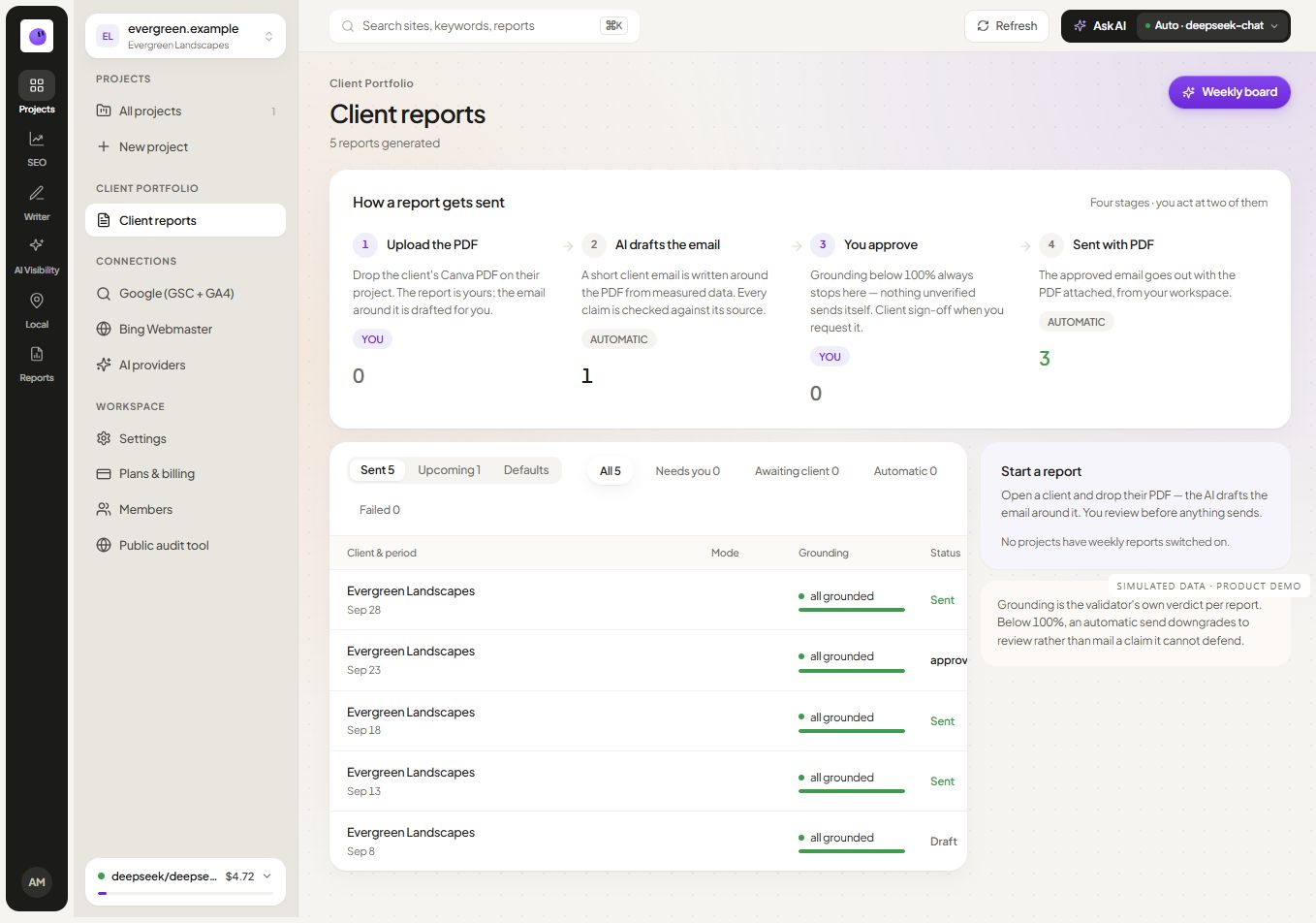
Explore scheduled reporting · Plan your report first
Start with an agreed reporting cadence
A reporting schedule is useful when it matches how the client makes decisions. A weekly update may support an active technical project. A monthly report may be more appropriate for broader performance review. Agree on the purpose and audience before increasing report frequency.
Choose a consistent reporting period and comparison. Label both clearly so the reader can tell whether an apparent change reflects different dates or a meaningful movement in the same measure. Keep the schedule's timezone in mind when setting delivery expectations.
Configure the report for the right project
Review the website and its source connections before setting up recurring output. If the wrong property is connected, automation will repeat the error efficiently. Check the first report against the source interface and confirm that the expected page groups and periods appear.
Keep recipients current. A client changing staff or reporting responsibilities can make a previously correct recipient list inappropriate. Treat delivery settings as part of the client handoff and review them when account ownership changes.
Use the first report as a working check
Prepare and inspect an initial report before relying on the recurring schedule. Review the branding, source period, selected sections and explanatory text. Confirm the behavior of the approval and delivery controls in the current product configuration.
The available delivery workflow should guide your process. Do not assume that selecting a schedule adds a mandatory review step if that behavior is not enabled. Establish who reviews the content and when that review occurs.
Follow the delivery outcome
Scheduled work still needs an observable result. Use the delivery history to distinguish a report that was prepared from one that was sent successfully. Investigate failures or unavailable connections before treating a reporting period as complete.
Illustrative situation: A report is ready, but its delivery fails. The team's next task is to inspect the failure and correct the destination or connection. Creating another report without understanding the first failure can leave the client with duplicate or missing messages.
Decide what needs a human explanation
Routine source collection is different from interpreting a surprising change. A sudden query shift, a tracking interruption or a small conversion sample deserves review. Keep the narrative proportionate to the evidence and make uncertainty clear.
Use the SEO reporting guide to separate observations from possible explanations. Include completed work and the next decision so the report supports an ongoing conversation with the client.
Connect scheduling with your agency workflow
The reporting module covers the source-to-output process. White-label reporting handles supported branding controls, while client management keeps the projects organized.
Check current plans and limits when planning a portfolio-wide rollout. Confirm the available delivery channels and account setup for the selected plan rather than assuming every destination is active.
Check the difference between generated, approved and delivered
These stages answer different questions. Generated means an output was prepared. Approved means the applicable reviewer accepted it under the configured workflow. Delivered means the relevant delivery attempt succeeded according to the system's available evidence. Avoid labeling all three simply “done.”
When you test a schedule, record the selected timezone, reporting window, source freshness, intended recipient and the behavior when a source is unavailable. Confirm the actual approval controls in your account; a reporting schedule and a content-publication schedule are separate workflows.
Fictional first-run test: prepare a report for a client with a known Analytics gap. Check that the gap remains visible, the narrative does not invent a zero and the intended recipient receives the reviewed artifact. Document the correction and repeat the test before applying the schedule to other clients.
Questions about report automation
Does scheduling replace report review?
No. Scheduling determines when supported work is delivered. Your agency still needs a review process for source accuracy, client context and interpretation. Confirm the product's current approval behavior before relying on a specific review gate.
What should happen when a connection fails?
Investigate the connection and explain missing information. A report should not imply that unavailable data is a genuine zero. Recheck the output after the connection is restored.
Should I use weekly or monthly reports?
Use the cadence that supports an actual decision. If nobody can act on weekly changes, a monthly review with a focused action list may be more useful. Active implementation work may justify more frequent updates.
How can I avoid confusing comparisons?
Keep date ranges and filters consistent, and annotate meaningful changes in measurement or site configuration. Explain when the comparison is imperfect rather than disguising the difference behind a percentage.
Make recurring reporting dependable
Start with one project, verify the first output and observe a successful delivery. Then apply the same documented review process to additional clients.