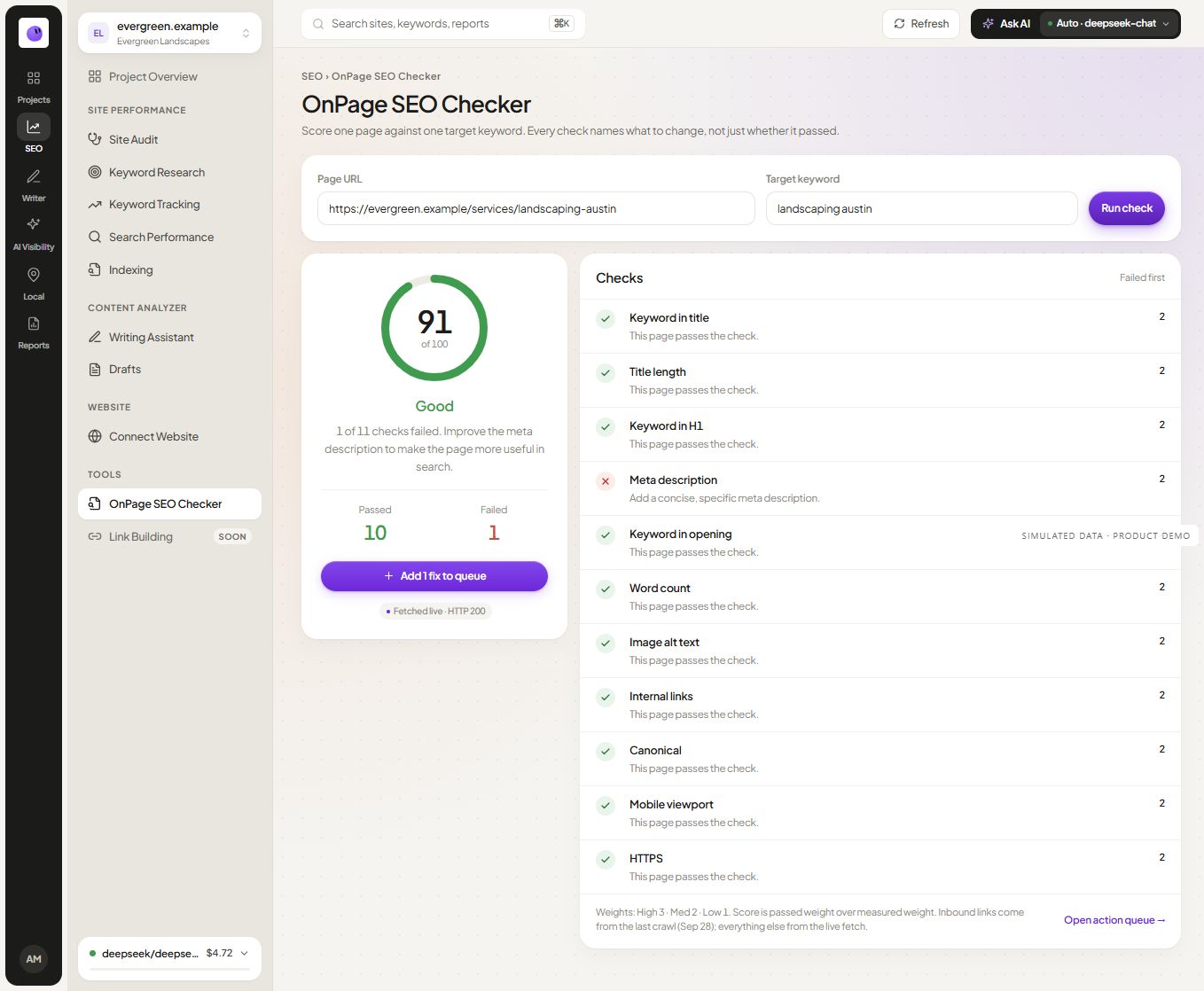
Review a page in your project · Use the public checker
Begin with the page's intended job
A service page, a product page and a detailed guide serve different needs. Write down the visitor's likely question and the action the page supports. That context helps distinguish an important missing explanation from an automated warning that does not require a change.
For example, a concise tool page can be useful because the tool solves the task. Adding a long introduction above its form may make the experience worse. A complex technical guide may need more detail because the reader needs a reliable procedure.
Inspect the elements behind each finding
Review the actual title and main heading. Check whether they describe the same purpose and whether the opening paragraph establishes the topic clearly. Use related language naturally rather than repeating the exact keyword in every section.
Inspect canonical and link signals in context. A cross-page canonical may be intentional for duplicate content, while the same signal on an important distinct page may deserve investigation. The technical audit checklist explains how to document that decision.
Turn feedback into a small edit plan
| Finding | Useful response |
|---|---|
| The title is vague | Describe the page's actual offer or answer |
| The opening misses the topic | Answer the reader's main question earlier |
| The heading structure is confusing | Organize sections by the questions they answer |
| A relevant next step is missing | Add a contextual link to the right resource or action |
These are editorial choices. The tool can identify elements for review, but it cannot establish a universal word count or keyword density that will make a page rank.
Check the edited page again
After making changes, inspect the rendered page and run the relevant check again. Confirm that the intended text appears, links work and the page remains usable on mobile. Record the change date if you plan to study performance later.
Keep the edit and its observed outcome separate. An improved title can be a sensible correction without proving that a later traffic movement was caused by that title alone.
Questions about on-page analysis
Is this the same as a full site audit?
No. The page review focuses on one URL and its context. A full site audit can investigate patterns across the website and the relationships between pages.
Should I use an exact keyword in every heading?
No. Make the page topic clear, then use headings that help readers navigate the subject. Repetitive wording can make the content harder to read without adding useful information.
What should I do with uncertain findings?
Record the observation and investigate the context before editing. Use the audit worksheet to preserve evidence and the chosen action.