Explore rank tracking · See the SEO workflow
Track terms connected to your business
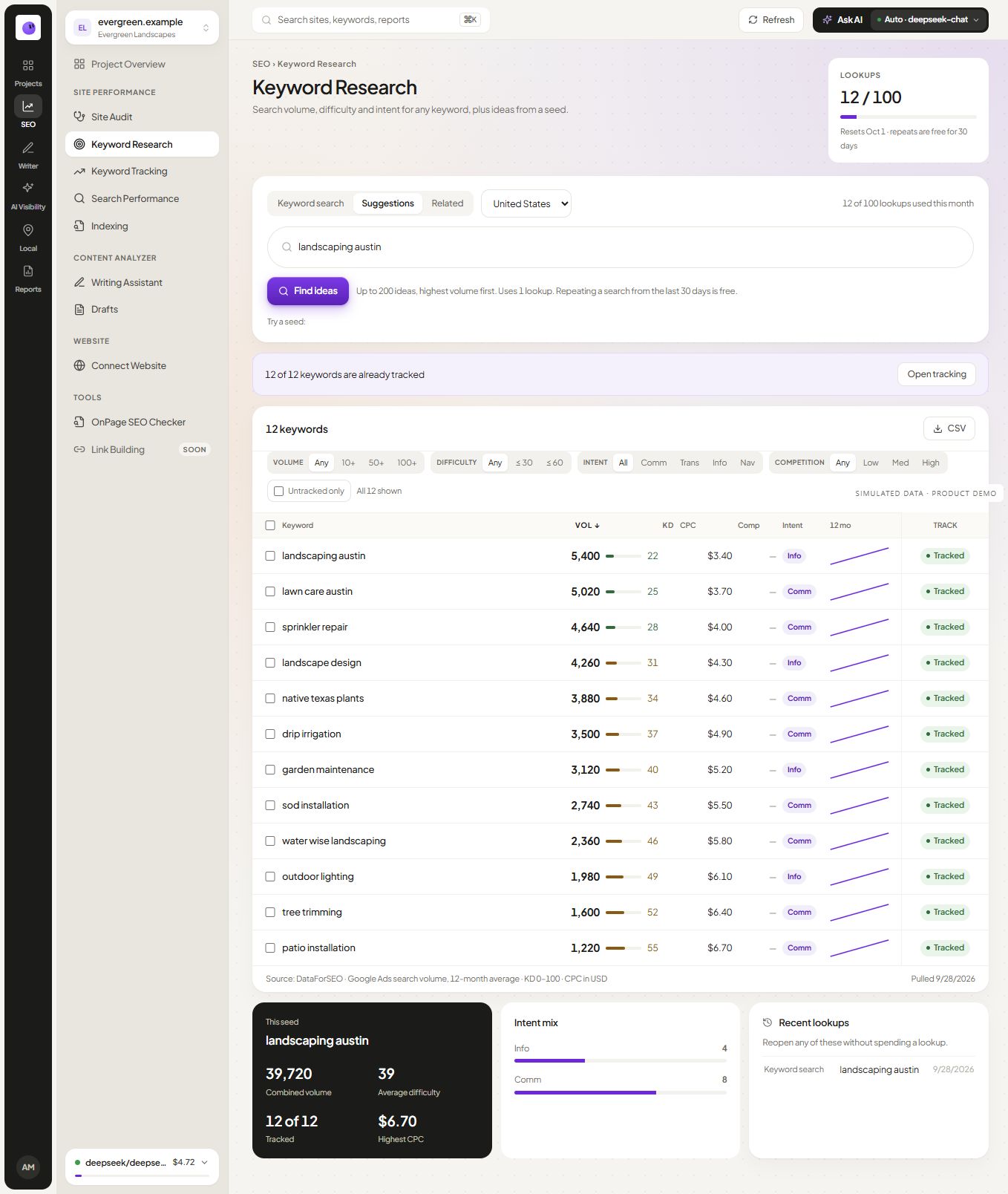
Choose keywords that match your products, services and intended audience. A term with a large search volume can still be a poor target if the results serve a different need. Map each tracked term to the page you expect to satisfy that need.
Include different stages of evaluation where useful. A category question, a product comparison and a branded query can behave differently. Keeping those groups separate makes the history easier to interpret.
Read a change before reacting to it
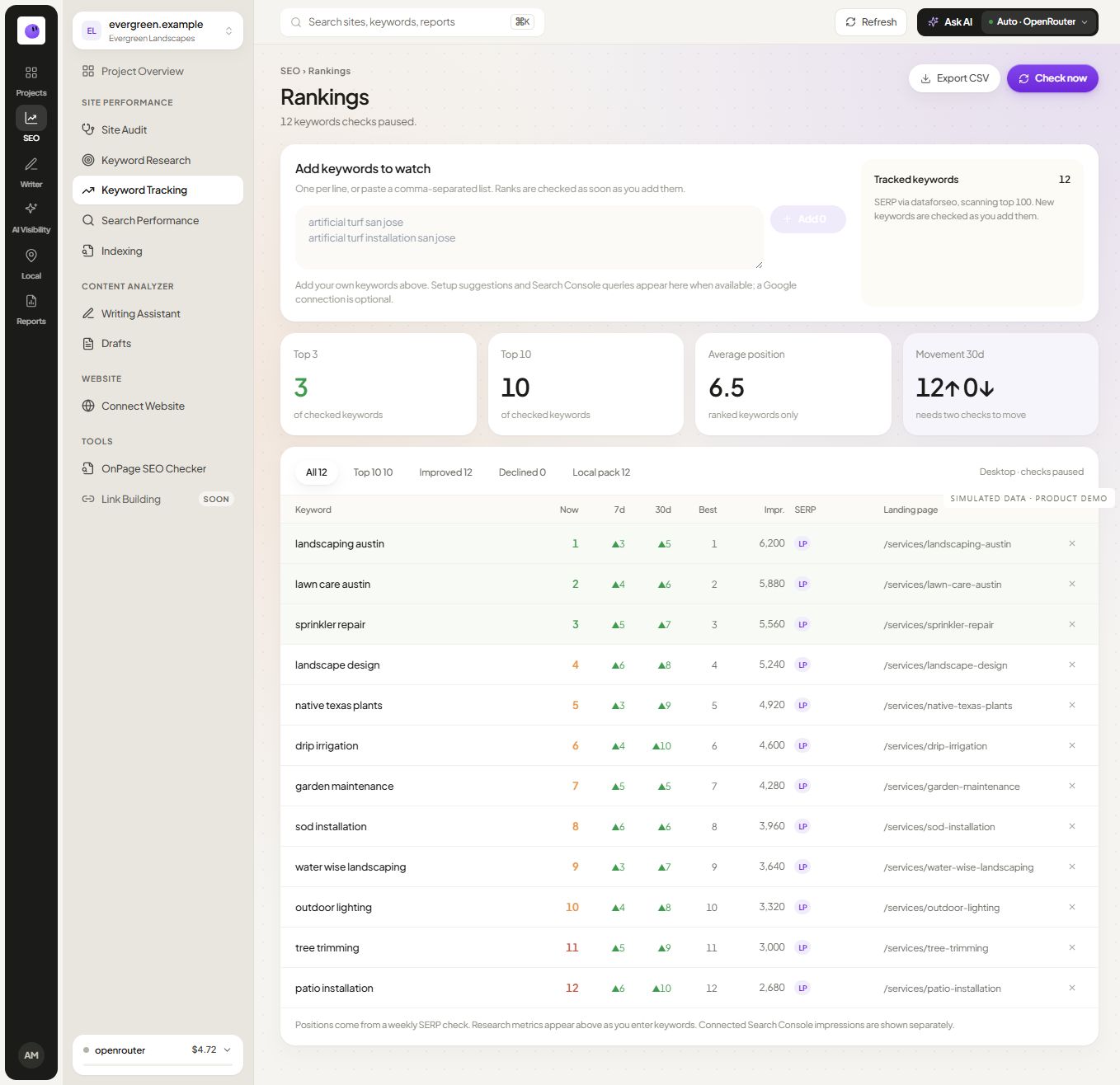
A position is an observation under particular conditions. Location, device, check time and result format can affect what appears. Compare consistent checks and inspect the relevant landing page before treating a single movement as a trend.
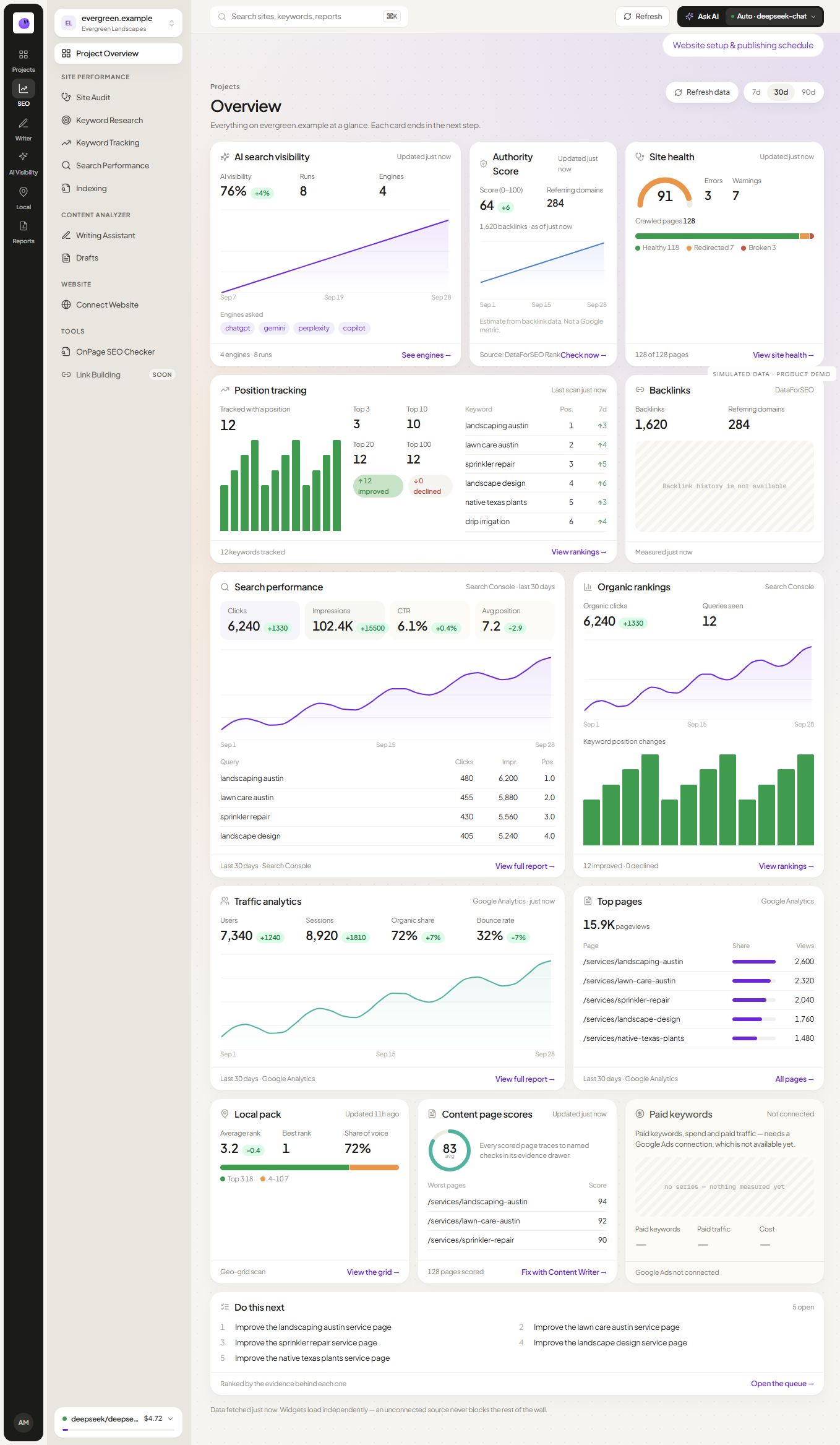
Search Console average position is a different measure from a scheduled rank check for one keyword. Keep the source names visible in reports so the reader does not assume those numbers should match.
Use the history to guide an investigation
Illustrative situation: A tracked service term declines while related terms remain stable. Inspect the result page, the intended landing page and any recent site changes. The correct response may be to fix a page issue, improve a missing explanation or simply continue observing. The movement alone does not identify the cause.
Pair the history with on-page analysis and audit findings when there is a specific page to investigate. Keep a note of meaningful changes so the next review has context.
Report rankings as one part of the outcome
Use position history to explain visibility for the selected terms. Add relevant clicks, inquiries or other measured outcomes when available. A position gain can create an opportunity, but it does not establish that a visitor became a customer.
The SEO reporting guide provides a structure for combining these observations without overstating their meaning.
Keep a rank check distinct from search performance
A one-time rank check records a result under defined settings. Ongoing tracking builds a comparable history for a selected keyword set. Search Console average position is a separate aggregated search measurement, so it should not be copied into a tracker column as if it were the same observation.
Record the landing URL along with the position when it is available. If another page on your site begins appearing for the same intent, investigate whether the page choice is useful or whether overlapping content needs clearer boundaries. A movement alone does not prove cannibalization.
Decide how to handle an unobserved result
Distinguish a successful check with no result in its covered range from a failed check. The first has a defined search depth; the second has missing evidence. Neither should silently receive an invented position.
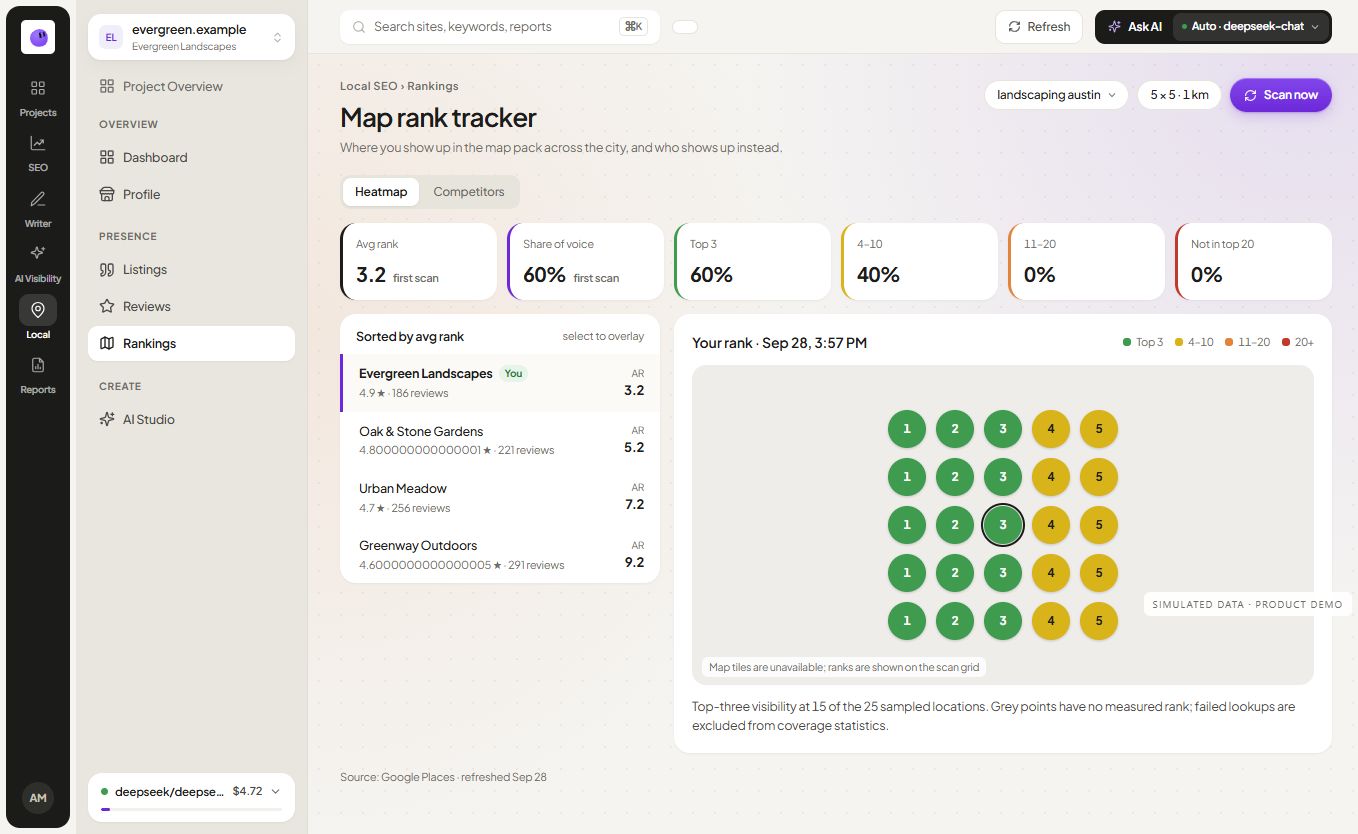
For location-dependent map visibility, use the separate local rank workflow. Preserve the market, device and source settings for the kind of result you are actually measuring.
Frequently asked questions
Why is my own search different?
Your search can use different settings, location or personalization. Compare the tracked check context with the conditions of your manual search before deciding that one result is wrong.
Should I track every keyword I find?
Start with a relevant set that your team can interpret. Add terms when they serve a real page or business question. A longer list is not automatically a better measurement plan.
How often are checks performed?
Check the cadence and limits shown in the current product and pricing page. Use the same cadence when comparing periods and explain gaps in the record.